This instruction show you guide on how to display service menu for Hitachi ZX890-7 excavator.
Related Contents:
Hitachi AllinOne MPDr v4.5.0 2026 Diagnostic Software Free Download
Hitachi Excavator ZX-5A ZX-5B ZX-5G Workshop Service Manuals PDF
Procedures:
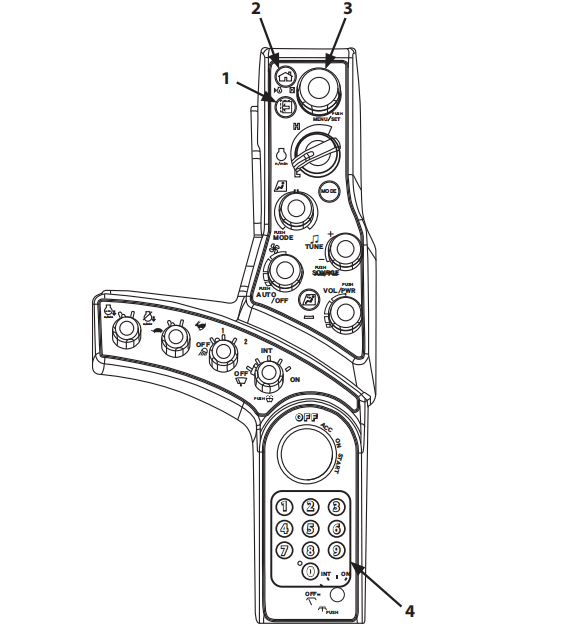
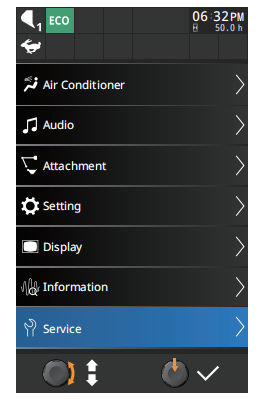
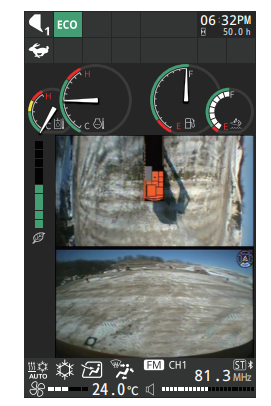
1 When the basic screen is displayed while the key switch is in the ON position or the engine is running, push select/set switch (3) while pushing“9” on numeric keypad (4). Service Menu (5) is added to the Main Menu screen.
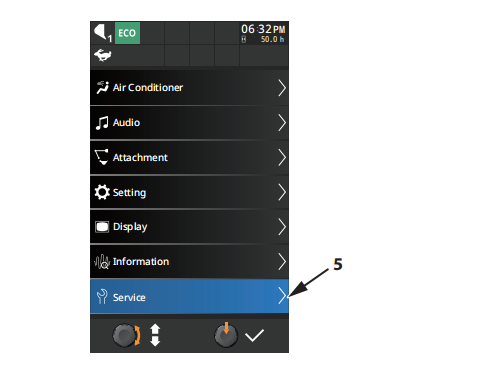
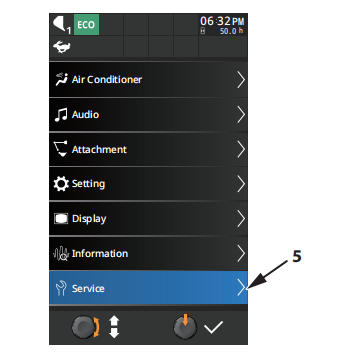
2 Turn select/set switch (3) and select Service Menu (5).
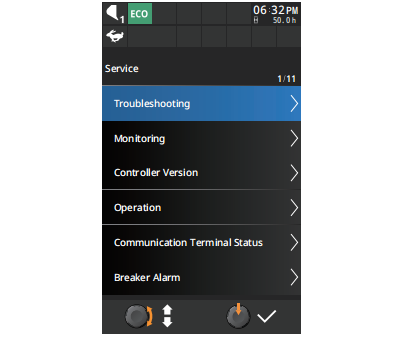
3 When pushing select/set switch (3),the service menu screen appears.
4 When pushing back switch (1), the previous screen appears.
5 When pushing home switch (2), the basic screen appears.
NOTE
Once the basic screen appears, Service Menu on the Main Menu screen is deleted. If the Service Menu is required to display, perform procedure 1 again.
More repair case for Hitachi,please refer to Hitachi excavator trouble repair