JPRO 2025V3 Driver Assistance Systems (DAS) Tests allows the editing of configuration parameters.
Related Contents:
2025 JPRO Noregon Diagnostics Free Download
AutoVue 3G Configuration
The AutoVue Configuration Test is available on:
✓ Bendix AutoVue® 3G LDW System
1 Select SDP3 Configuration and press Enter or the Start button.
2 The test dialog will be displayed.
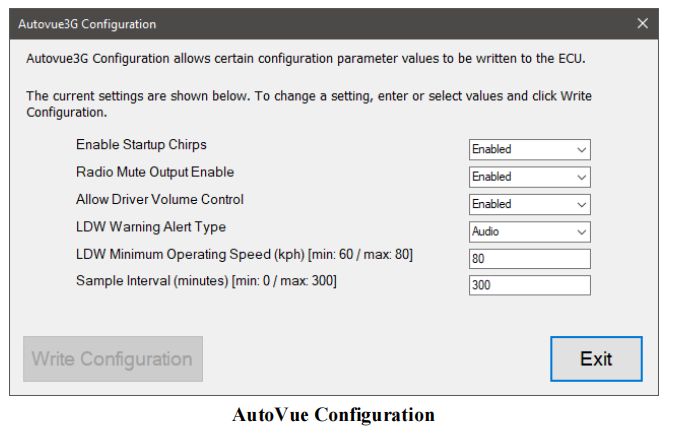
3 Select a new value in one or more rows of the grid. Click Write Values button to have the new values sent to the vehicle. Once the programming is complete the Current Value column values will be updated, and the Restore Original button will become enabled.
4 When done, press the Exit button to return to the test selection dialog.
Visited 71 times, 1 visit(s) today