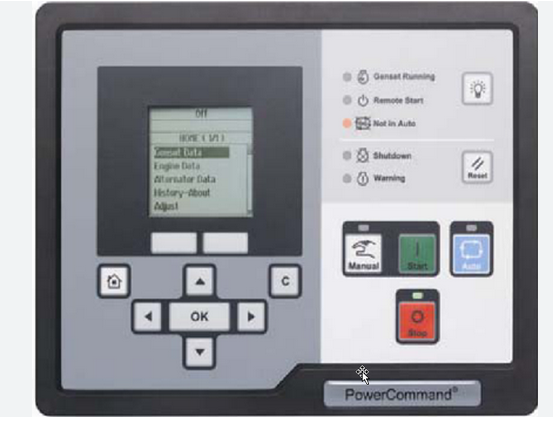
This instruction show you guide on how to solve PCC2300 Powercommand HMI screen does not wake up error.
Related Contents:
2025 InPower V16 Pro V12 Diagnostic Software Free Download
PowerCommand Diagnostic 9 Pin Adapter Cable for InPower
Logic:
HMI screen does not wake up when one of the buttons is pressed after connectors J28 and J29 are plugged in.
Possible Causes:
1 Power is not present to the HMI.
2 Button pressed to wake up the HMI is faulty.
Diagnosis and Repair:
1 Check the power supply to the HMI:
a Inspect if the connectors J28 and J29 are plugged in properly.
- Measure the voltage between pins J28-1 and J28-3. This should be done with J28 connected to the HMI. To test the voltage, place multimeter probes on the pins through the back side of
J28.
If the voltage reading is 10–14 Vdc for a 12 Vdc system or 20–28 Vdc for a 24 Vdc system, the supply volatge is appropriate.
c If voltage value at J28 is out of specified range, check for voltage present at connector J25 pins J25-8 (B+ return for operator panels) and J25-12 (Fused B+). J25 is the other end of J28
connector harness which completes the connection to PCC.
i If this voltage lies between 10–14 Vdc for a 12 Vdc system or 20–28 Vdc for a 24 Vdc
system, the connector J28 is faulty and needs to be replaced.
If the voltage value at J25 is out of the specified range, then the source battery voltage is low. Refer to troubleshooting for FC441 (Low battery volatge) if the FC is active. If FC441 is not active, relace the harness.
2 Buttor pressed to wake up the HMI is faulty:
Refer to troubleshooting for the FC “Buttons on the membrane are not functioning”.